Shelf vs register price: a small-shop checklist
After the FTC sued Dollar General over shelf vs till prices, a practical checklist so your tags, boards and bills match — for shops and salons.
Key takeaways
- •Change the shelf tag and the till price in the same sitting — never one without the other.
- •Run a weekly 20-item spot check: pick items, scan the shelf, compare the receipt.
- •If the shelf is lower than the till, honor the shelf price, then fix the system.
- •For salons: website, booking page and wall menu must match what you charge on the bill.
- •Take expired promo signs down the day the offer ends — a stale sign is a broken promise.
The price on the shelf is a promise. When the register charges more, customers do not remember the thirty cents — they remember that your sign lied, and they tell people.
On 26 October 2026 the U.S. Federal Trade Commission and 20 states sued Dollar General, alleging that shoppers were often charged more at the register than the prices shown on shelves, tags and ads. That case is about a national chain. The habit it exposes is useful for any shop, boutique or salon that prints a number customers can see.
This is not legal advice. It is a short owner checklist so your displayed prices and your till stay in the same world.
What the FTC and states allege
According to the complaint and reporting on it, the FTC and partner states allege a pattern of register prices higher than shelf, tag or advertised prices across Dollar General stores. The agency says investigators made undercover purchases in Ohio, Pennsylvania, Missouri and Maryland — and that every trip described in the complaint included overcharges on multiple products.
One example the complaint describes in detail: on 16 January 2026 at a Cleveland, Ohio store, 13 of 58 items rang up at a different price than the label or shelf (about 22.4%). Of those, eight were overcharges and five were undercharges, for a net overcharge of $3.25.
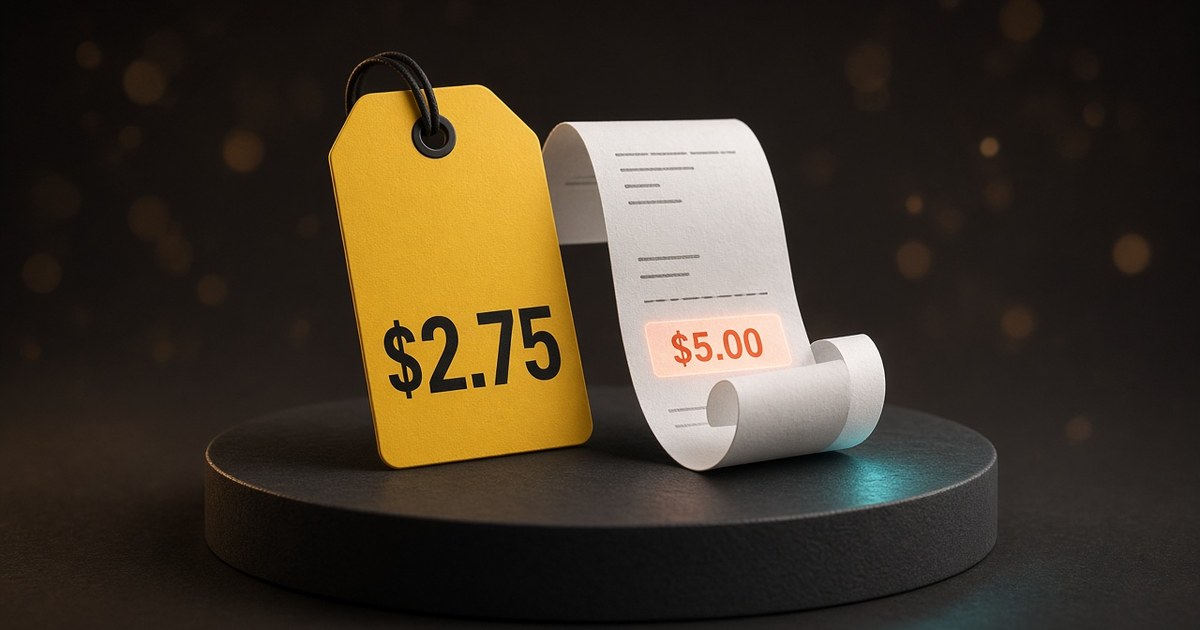
The complaint also quotes consumer reports. In one, a Massachusetts shopper said trail mix was advertised at $2.75 on a yellow-and-red sign but rang up at $5 — and that the wrong signs were still displayed the next week. Between 1 January 2023 and 31 March 2026, the complaint says Dollar General logged 29,265 complaints categorized as "Did Not Honor Marked Price."
News coverage of the filing says Ohio and other states joined the FTC action; Ohio had previously sued Dollar General over pricing issues and reached a 2023 settlement that included price-accuracy steps.
Treat those numbers as allegations in a live case, not findings about your shop.
What Dollar General said
Dollar General disputes that picture. In a company statement reported with the filing, it said the suit suggests it abandoned its mission — and that "nothing could be further from the truth." It said its goal is 100% accuracy between shelf and register prices, that occasional discrepancies can occur, that teams are instructed to make things right, and that it has enhanced price-accuracy processes. It said it would defend the litigation vigorously.
Include both sides with staff. The lesson for a small shop is not a courtroom argument — it is: treat a mismatched tag as an ops failure you can prevent.
Why a one-location shop should care
You are not Dollar General. You also do not need 29,000 complaints before a one-star review says "they charged me more than the sign."
Common drift: POS updated but yesterday's shelf tag left up; a weekend promo sign still there on Tuesday; wall menu on last year's colour price while the booking page moved; an Instagram Highlight still showing a "from" price that no longer matches the bill.
Customers assume the number they can photograph is the deal. Your till is invisible until it disagrees.
Steal-it checklist (do these five)
1) Change the tag and the till in the same sitting
Never update one without the other. Print or rewrite the shelf label, change the POS item, then buy the item yourself (or have a staffer do it) before you walk away. If you use printed labels and a separate barcode file, treat them as one job with one owner for that day.
2) Run a weekly 20-item spot check
Once a week, on a quiet open, pick 20 items across aisles or categories — not only bestsellers. For each one: note the shelf or tag price, scan or ring it, compare the receipt. Log mismatches in a shared note (item, shelf, till, fixed Y/N). Twenty is enough to catch drift without turning into a full inventory.
3) If the shelf is lower, honor it — then fix
Write this for staff: honor the lower displayed price for that sale, apologize once without blaming the customer, and fix the tag or POS before the next person in line. Arguing over thirty cents at the till costs more than the thirty cents.
4) Salons and studios: website, booking and wall menu = the bill
Your "shelf" is every place a client can screenshot a price. The amount on the final bill must match the website, booking page and wall menu — or the page must say what changes a "from $X" price (length, density, add-ons). Update all three the same day you change a service price. A mismatched wall menu is the salon version of a stale shelf tag.
5) Take expired promo signs down the day the offer ends
Put a calendar reminder on the last day of every promo. Remove window clings, shelf talkers and Instagram Story highlights that still advertise the old deal. If someone bought under a leftover sign, honor the signed price for that purchase, then remove the sign.
How to run the 20-item check in 15 minutes
Open a short list (item, shelf $, till $). Pick 20 SKUs across busy and dusty shelves — or 20 services on your menu. Note the displayed price, ring or scan it, write the receipt price, and fix mismatches before you leave that aisle or admin screen. File the list; if the same category fails twice, give it a full pass next week. Electronic shelf labels still need this: the label system and the POS can disagree when only one gets updated.
Price changes and customer trust
When you mean to raise a price, say so — a quiet till change with an old tag still up feels like bait-and-switch even when nobody intended it. Wording templates: How to tell customers about a price increase. Checkout feel: Tip screens without annoying customers. Salon cost-per-hour: How to price salon services.
If you need a short staff note or customer apology about a wrong tag, a helper in GBot can shape the wording in your voice for you to approve — it does not sync your POS or print shelf labels.
Related reading
- How to tell customers about a price increase — when the mismatch is intentional and you need clear wording
- Tip screens without annoying customers — the till moment customers actually remember
- How to price salon services — so wall menus and booking pages stay honest
Sources
- Retail Dive (26 Oct 2026): Dollar General sued by FTC over ‘deceptive pricing practices’
- The Guardian (26 Oct 2026): Dollar General sued by FTC and 20 states over pricing claims
- Complaint PDF (undercover examples cited above): openclassactions.com PDF
Match the tag to the till. Honor the lower shelf price when you slip. Fix it before the next customer photographs the miss.
Frequently asked questions
What should I do if a customer finds a lower shelf price than the till?
Honor the lower shelf or sign price for that purchase, apologize once, and fix the tag or POS entry before the next customer. Write that rule for staff so it is not a debate at the till.
How often should a small shop check prices?
A weekly 20-item spot check is enough for most one-location shops. Add an extra check the day you change a wholesale cost, run a promo, or reprint labels.
Does this apply to salons without shelf tags?
Yes. Your "shelf" is the website, booking page, Instagram price list and wall menu. Those must match the amount on the bill, or say clearly what makes a "from" price change.
Is this legal advice about the Dollar General case?
No. This is an operations checklist for small owners. The FTC and states allege misconduct; Dollar General disputes the allegations. Talk to a lawyer if you need legal advice for your business.
What if an old promo sign is still up after the offer ended?
Take it down the same day the promo ends. If a customer bought under that sign, honor the signed price for that sale, then remove the sign and update the till.
Related posts
Clear price list page: so the bill matches
One clear price list for your site, booking and wall menu — what’s included, honest “from” prices, and a same-day sync checklist.
Words customers actually use (inbox → replies)
Mine your DMs and booking questions for the words customers type — then rewrite jargon into plain replies, price lists and saved templates.
Salon no-show cost calculator (simple formula)
Free formulas and worked examples to estimate what empty chairs cost — then fix it with policy and reminders. Spreadsheet steps included.